
Every second counts when it comes to website performance. Even a delay of one second could lead to a decrease in conversions by 7%. As the website grows more complex, traditional WordPress setups can slow down due to bulky themes and plugins.
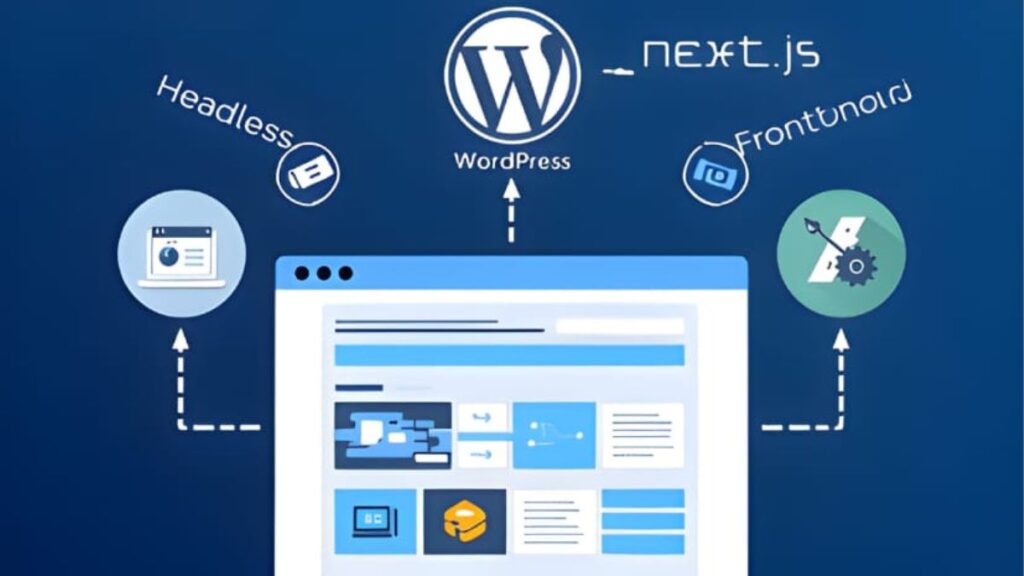
But with Headless WordPress development, that changes. It allows developers to use WordPress as a pure source of CMS while relying on modern framework tools like Next.js for the front-end part.
Let’s understand what WordPress headless CMS is, how WordPress Next.js integration works, and why it’s the smartest approach to building future-ready digital experiences.
What Does Headless WordPress Mean?
Headless WordPress development consists of decoupling the backend of WordPress (where content is created and stored) and its frontend (the portion of the site that is visible to users). While WordPress stores and manages all the content, i.e, acts as a content management system (CMS), developers do not use it for direct visual representation. This type of usage is commonly referred to as a Headless WordPress.
The headless style eliminates the presentation layer and exposes content in the form of APIs. Usually, the content to the frontend is delivered using the WordPress REST API or GraphQL. It enables developers to render the frontend with the help of modern frameworks such as React, Vue.js, or Next.js.
Here’s how it works:
-
All the content (pages, posts, images, etc.) is stored in the backend of WordPress.
-
This content is fetched by the frontend, constructed with a modern JavaScript framework (such as Next.js), using an API.
-
The separation provides flexibility, speed, and control of design and functionality, which traditional WordPress configurations tend to restrict.
Thus, such an architecture of a headless WordPress combined with modern frameworks can help build high-performance WordPress websites that ensure lightning-fast page responses, smooth scalability, and an enhanced user experience.
What Is Next.js & Why Is It the Ideal Frontend For WordPress?
Next.js is a React-based framework created by Vercel and designed to develop a fast, scalable, and SEO-friendly web application. It works with aspects such as Static Site Generation (SSG), Server-Side Rendering (SSR), and Incremental Static Regeneration (ISR), each of which is important for WordPress website speed optimization.
Here’s why Next.js is the best choice as a frontend to WordPress:
-
Blazing-fast performance: Next.js pre-renders pages at build time or on request, and it can lead to remarkably short page load times.
-
SEO-friendly rendering: The server-side rendering makes sure that search engines are able to search and index pages efficiently.
-
Scalability: The decoupling can be used to support huge traffic bursts without impacting the performance.
-
Flexibility of the developer: It works well with the WordPress API, with the freedom of designing and development being present without relying on the PHP templates.
-
Enhanced security: As the front and back parts are isolated, it reduces the exposure to the vulnerabilities of WordPress.
With the ability of WordPress to manage a large amount of content alongside the dynamic capabilities that Next.js has opted to call upon, you have a WordPress Next.js integration allowing you to combine content flexibility with frontend performance.
How to Set Up WordPress as a Headless CMS for Next.js?
The integration process of linking a headless WordPress CMS that acts as a content provider with Next.js, which is used as a presentation layer, can be broken down into the following high-level steps:
Step 1: WordPress configuration as a Headless CMS
Install WordPress in your desired hosting environment.
Activate the WordPress REST API (built-in since version 4.7) or add the popular WPGraphQL, which is a more flexible and faster data querying tool.
Set up custom post types and taxonomies when required to have organized content management.
Step 2: Develop Next.js Application
‘npx create-next-app’ can be used to create a new Next.js project. Link your WordPress back end by fetching data using REST API or GraphQL.
Example:
const res = await fetch(‘https://yourwordpresssite.com/wp-json/wp/v2/posts’);
const posts = await res.json();
Use this fetched content to dynamically render pages and posts in your Next.js app.
Step 3: Deploy and Optimize
Launch your site on a global content delivery platform such as Vercel, Netlify, or AWS. Enact even faster loading by caching and incremental builds.
Test Core Web Vitals on a regular basis, as this guarantees the permanent optimization of the WordPress websites in terms of speed.
This configuration gives content teams the ability to continue with the comfortable WordPress dashboard, and developers the option of applying the flexibility and speed of Next.js to the frontend. Brands can always hire WordPress developers to bridge the talent gap in their team and speed up the development process.
Core Benefits of Headless WordPress + Next.js Setup
Adopting Next.js frontend for WordPress brings together the best of both worlds, i.e, WordPress’s user-friendly content management and Next.js’s modern web performance capabilities. Here’s why this architecture can be a powerful step in building high-performance websites:
1. Unmatched Website Speed and Performance
Pages can be loaded immediately with static as well as server-side rendering. This will help in enhancing user experience as well as an increase in SEO rankings.
2. Enhanced Scalability
Due to the location separation between the backend and frontend, scaling can be done independently for both. WordPress Next.js integration, regardless of whether you are working with thousands or millions of visitors, is efficient and stable.
3.Improved Security
A headless WordPress configuration keeps the backend out of reach of external access and minimizes attack vulnerability. This implies that you are safe even when you are overwhelmed with traffic.
4. Increased Flexibility of Developers
React elements can be used to develop beautiful and interactive interfaces in Next.js, without being confined to PHP-based WordPress themes.
5. Future-Proof Architecture
With the development of digital experiences across devices and platforms, headless architecture will keep your website up to date. The WordPress APIs allow you to transmit messages to web applications, mobile applications, or IoT networks.
6. SEO and Core Web Vitals Benefit
SRS and SSG of Next.js make pages fully crawlable and fast, which goes a long way in terms of SEO rankings. When combined with WordPress website speed optimization best practices, you have a site that is outstanding in performance and visibility.
Final Thoughts on Headless WordPress & Next.js
The future of contemporary web development lies in a Headless WordPress with Next.js configuration, which is more than simply a trend. Businesses can attain remarkable speed, scalability, and design flexibility with it without sacrificing the ease of content management. With the right WordPress development services, you may create a WordPress website that performs well and pleases both people and search engines by using this strategy.
Common Questions About Headless WordPress
Is Headless WordPress suitable for all websites?
Not necessarily. It’s best for medium to large-scale sites that need high performance, custom frontend design, and scalability. Smaller sites might not need this complexity.
How does using Next.js affect my SEO?
Next.js improves SEO with its server-side rendering and faster load times, helping your pages rank higher.
Will I lose the WordPress editor and plugins in a headless setup?
No, you can still use the WordPress dashboard for content and plugin management. Only the presentation layer changes.
Can I migrate my existing WordPress site to Next.js?
Yes. With the right technical setup and API integration, your existing WordPress content can be seamlessly connected to a Next.js frontend.
How does Headless WordPress improve speed and performance?
By separating content from the frontend and leveraging Next.js’s static generation, your website loads faster and performs better, especially under heavy traffic.